 STL Viewer
View and measure your STL files.
Open an STL on your iPhone or iPad and rotate it to see any side. Check its overall dimensions or share an image of the model.
For iPhone and iPad · iOS 18 or later
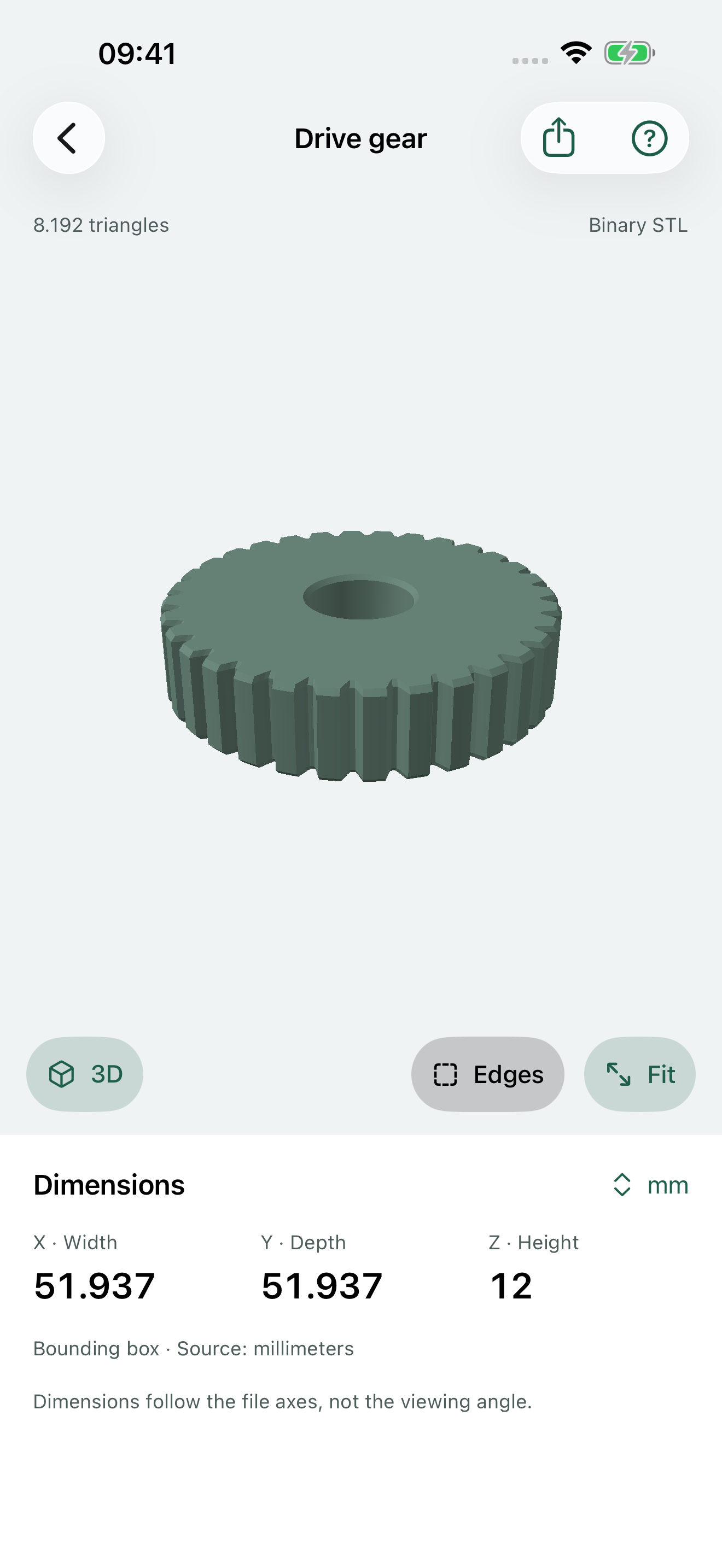
Inspect the model from any angle
Rotate, zoom and move around your model. Switch to a standard view or show the triangle edges. Open ASCII and binary STL files directly from Files.
Check the model's size
STL files do not contain units. Choose the units used to export the file, then read its X, Y and Z bounding-box dimensions. Pro includes measurements, more imports and images with dimensions.
How do I open an STL file?
Tap Open STL file and choose a file in Files. You can also use the system share menu in Mail or Files and choose STL Viewer when it is available. The app supports files up to 50 MB and one million triangles. The included calibration example is an original block measuring 40 × 20 × 15 when you choose millimeters as the source unit.
Why do I have to choose source units?
An STL stores coordinates without saying whether they are millimeters, inches, or another unit. Choose the unit used in the app that exported your model. Changing the display unit converts the measurements; it does not change the original file.
What can I do before subscribing?
Preview your first successfully imported file for free. You can rotate, zoom, pan, view its edges, and return to it. Pro unlocks additional imports, bounding-box measurements, unit conversion, and annotated image sharing.
How do I restore or cancel a subscription?
After reinstalling, open the app using the Apple Account that purchased Pro. STL Viewer checks your subscription automatically. You can also open Settings in STL Viewer and tap Restore purchases. To cancel, go to your device's Settings, tap your name, then Subscriptions. If you cancel, your subscription will not renew. You keep access until the paid period ends.
My file will not open. What should I try?
Download it completely in Files first. Make sure it is an ASCII or binary STL, up to 50 MB with no more than one million triangles. If it is damaged, export a fresh STL from the original design app. STL Viewer does not support OBJ, STEP or 3MF files, CAD editing, mesh repair or slicing.
Does the app change or upload my model?
No. The app keeps its own local copy and leaves the original unchanged. The app does not upload models to us. Removing an item from the library removes only the app's copy. Device backups may include local files according to your Apple settings.
What exactly do the dimensions measure?
The dimensions describe the smallest box that contains all the model's vertices and follows the file's X, Y and Z axes. Rotating the view does not change these values. Measurements depend on the source units you choose. They do not confirm printability, tolerances or manufacturing safety.